You have three coffee options, a Ninja 14-Cup Coffee Maker Pro, a DeLonghi espresso maker and a pour over.
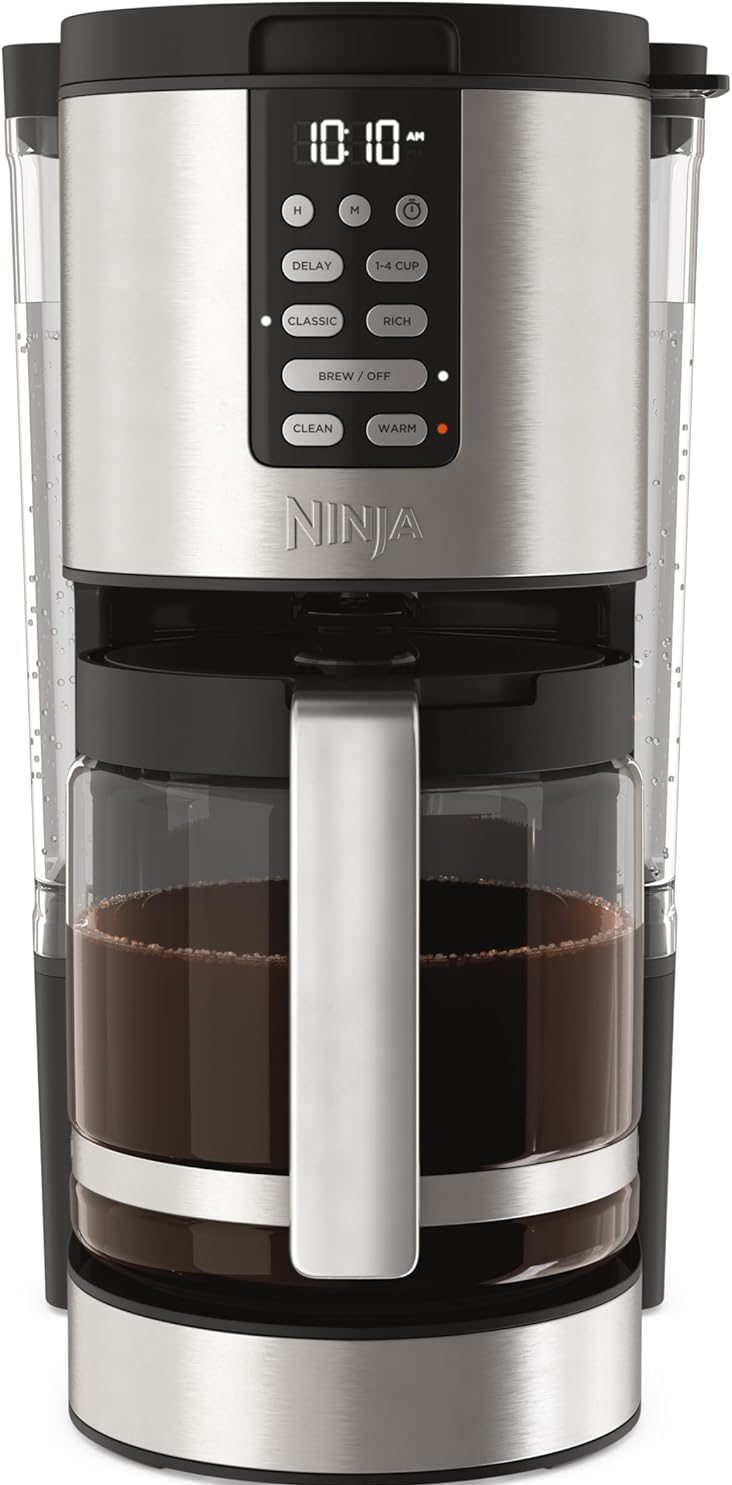
Ninja 14-Cup Pro
1.Fill Water Reservoir: Remove the 70-oz. water reservoir and fill it with fresh, filtered water up to the desired brew line. Replace the reservoir securely.
2.Add Coffee Grounds: Place the permanent filter into the filter basket. Use the integrated Ninja scoop to add your desired amount of ground coffee. For optimal results, refer to the recommended coffee-to-water ratios. Close the filter basket lid.
3. Position Carafe: Ensure the 14-cup glass carafe is empty and correctly placed on the warming plate.
4. Brew Styles: Press RICH for a more intense flavor, ideal for milk, cream, or flavoring. Press CLASSIC for a smooth, balanced coffee.
5. Small Batch Function: If brewing 1-4 cups, press the 1-4 CUP button to optimize the brew for smaller volumes, preventing dilution.
6. After selecting your desired brew style (and small batch if applicable), press the BREW / OFF button to start brewing. The brew indicator light will illuminate.
7. Delay Brew: To program the coffee maker to start brewing at a later time:
- Prepare the coffee maker with water and coffee grounds as described in Section 4.1.
- Press the DELAY button. The delay indicator light will flash.
- Use the H (Hour) and M (Minute) buttons to set the desired start time.
- Select your desired brew style (Classic or Rich) and brew size (1-4 CUP if applicable).
- Press the DELAY button again to confirm. The delay indicator light will remain illuminated, and the coffee maker will start brewing at the set time.
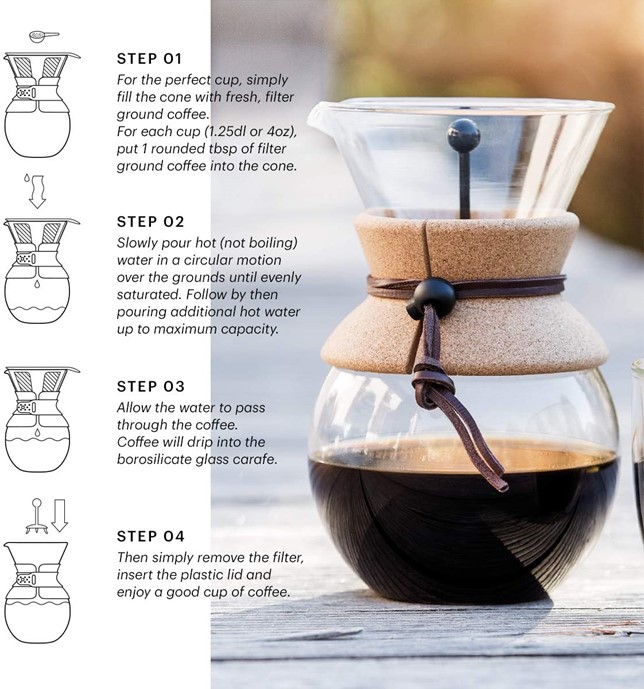
Pour over
Coffee filters are stored in the cupboard above the coffee makers, inside the filter tin.
De’longhi espresso maker (Located in Main Bedroom)
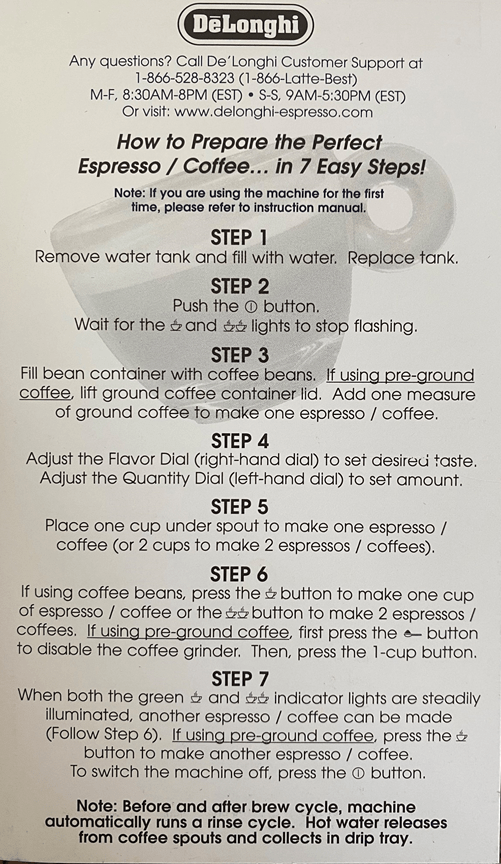
Full instruction manual available from De’Longhi. Page 35 of that manual includes details on the alarm indicator lights.


